New Project Dashboard
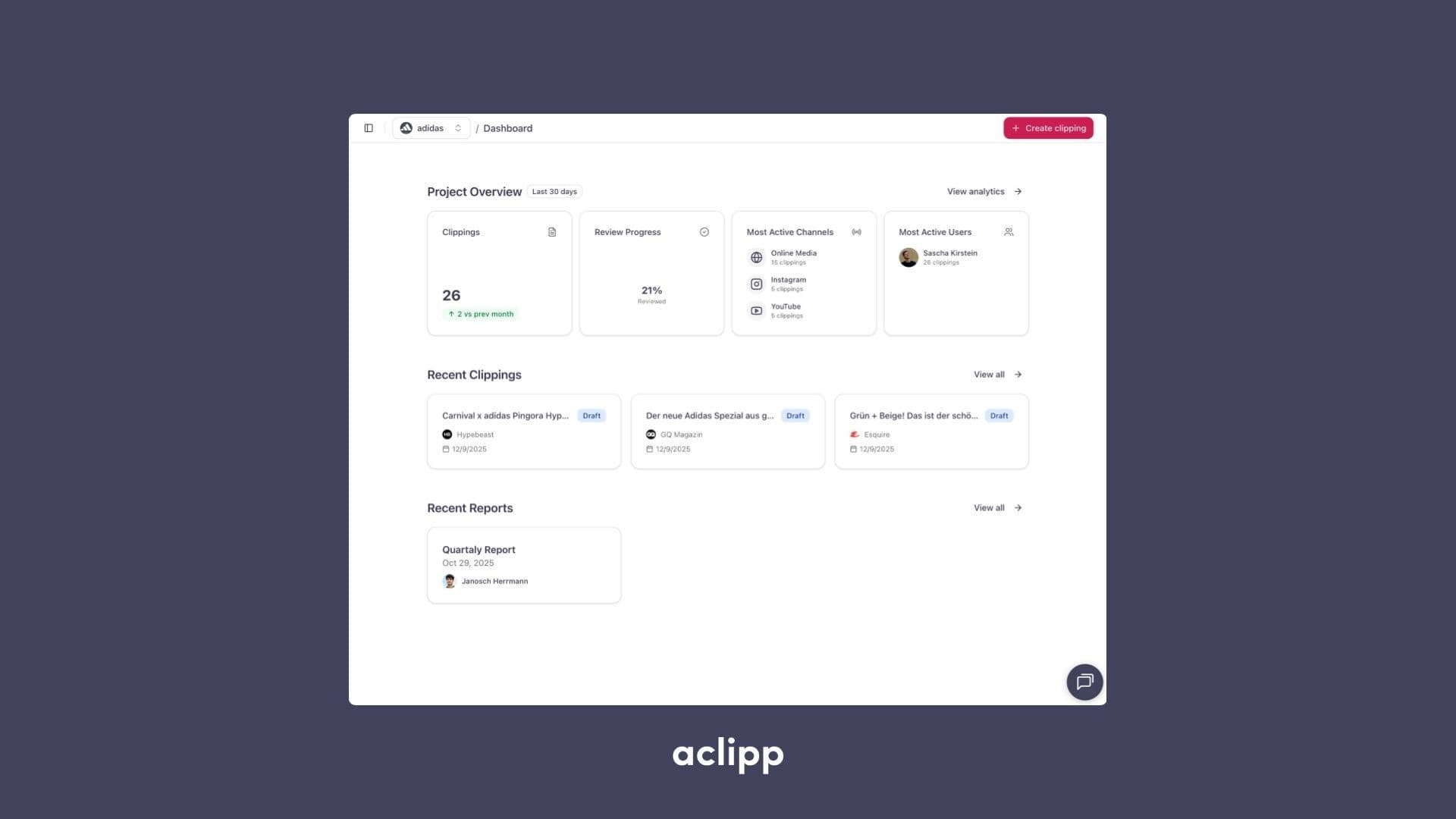

We’ve redesigned the project dashboard from the ground up to make it easier to work with your clippings, analytics, and reports. The new layout gives you a clear overview of what’s happening in your project and helps you move seamlessly from insight to action.
Instead of showing static data blocks, the dashboard now highlights the information and tasks that matter most to your daily work.
What’s new?
1. Clear Project Overview
Key metrics like total clippings, review progress, most active channels, and top contributors are now visually structured, giving you quick insights at a glance.
2. Latest Clippings Front and Center
Recently added clippings appear directly on the dashboard, allowing you to jump into review and editing workflows without searching or navigating through multiple pages.
3. Recently Edited Reports
Access your latest reports instantly and continue editing with a single click.
4. Workflow-first Design
The entire dashboard is organized around the actions users perform most frequently:
- Reviewing new clippings
- Creating or updating reports
- Checking performance across channels
- Navigating quickly to analytics
This creates a smoother, more intuitive user experience for daily work.
Benefits
- Faster navigation with all key workflows immediately accessible
- More meaningful insights thanks to improved visual structuring
- Reduced friction when switching between clippings, analytics, and reports
- Better collaboration with transparency over active users and project activity
The new Project Dashboard brings your daily workflows together in one focused, easy-to-use interface.