Product Updates

All the latest updates, improvements, and fixes to aclipp

Browser extension: Now for Firefox and Edge

Browser extension: Now for Firefox and Edge

Our browser extension is moving beyond Chrome to include Firefox and Microsoft Edge. Additionally, we've introduced automatic clipping captures, making it faster than ever to save your media coverage. Please note: This is rolling out over the coming weeks and is not yet available everywhere.

 Enhanced Social Media Processing

Enhanced Social Media Processing

We've overhauled our processing engine for social media content. This update ensures more reliable data extraction for posts from platforms like LinkedIn and Pinterest, including better handling of engagement metrics and metadata for your clippings.

Argus Data Insights Integration

Argus Data Insights Integration

Streamline your workflow by connecting Argus Media Monitoring directly to aclipp. This integration allows for the seamless, automatic import of your media clippings, ensuring your coverage is always up-to-date without manual effort.

Dashboard Sharing Now Available

Dashboard Sharing Now Available

Reporting just got a lot faster. We are excited to introduce Dashboard Sharing, a new feature that allows you to share your real-time project insights with clients, stakeholders, or teammates via a secure, public link. No more manual exports or bulky attachments. Just pure, live data at your fingertips. What’s new?

Observer Integration

Observer Integration

We are continuing our mission to make Aclipp the central hub for all your PR data. Today, we’re excited to roll out our integration with Observer, a leading provider of media intelligence and monitoring services. By connecting Observer to Aclipp, you can now seamlessly manage your traditional media presence alongside your digital mentions, providing a truly holistic view of your communication impact. What’s new?

Landau Media Integration

Landau Media Integration

The new Landau Media integration is now available. You can configure this provider within aclipp to automatically pull in your professional press reviews and editorial monitoring results. Configuration only takes a minute. Connect your account today to keep your premium coverage organized without the extra manual work.

Talkwalker & Google Alerts Integration

Talkwalker & Google Alerts Integration

We’re excited to announce that Aclipp now integrates directly with Talkwalker and Google Alerts. This update is designed to give you a truly 360-degree view of your media presence without ever leaving the platform. Instead of manually importing mentions, you can now funnel external alerts directly into your workspace, ensuring no clipping falls through the cracks. What’s new?

Clipping Relevancy Checking

Clipping Relevancy Checking

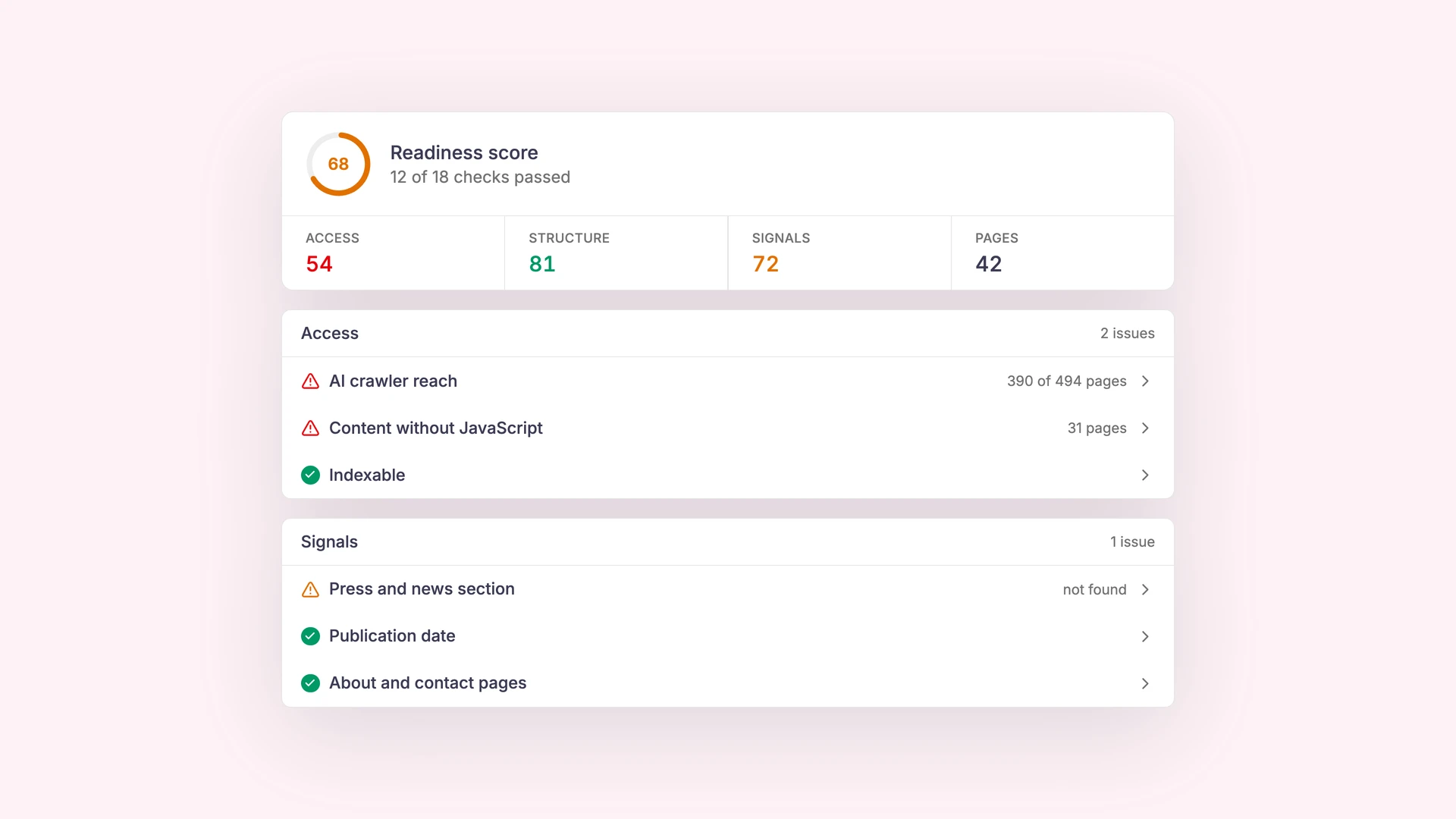
Not every article or mention captured by your integrations is actually relevant to your brand or reporting goals. The new Clipping Relevancy Checking feature automatically analyzes each clipping and determines whether it contains meaningful references to your company, clients, or defined topics. This helps you focus on what truly matters and significantly reduces the time spent sorting through large volumes of content. How It Works Benefits Clipping Relevancy Checking ensures that your workspace stays focused and your reports stay impactful.

New Project Dashboard

New Project Dashboard

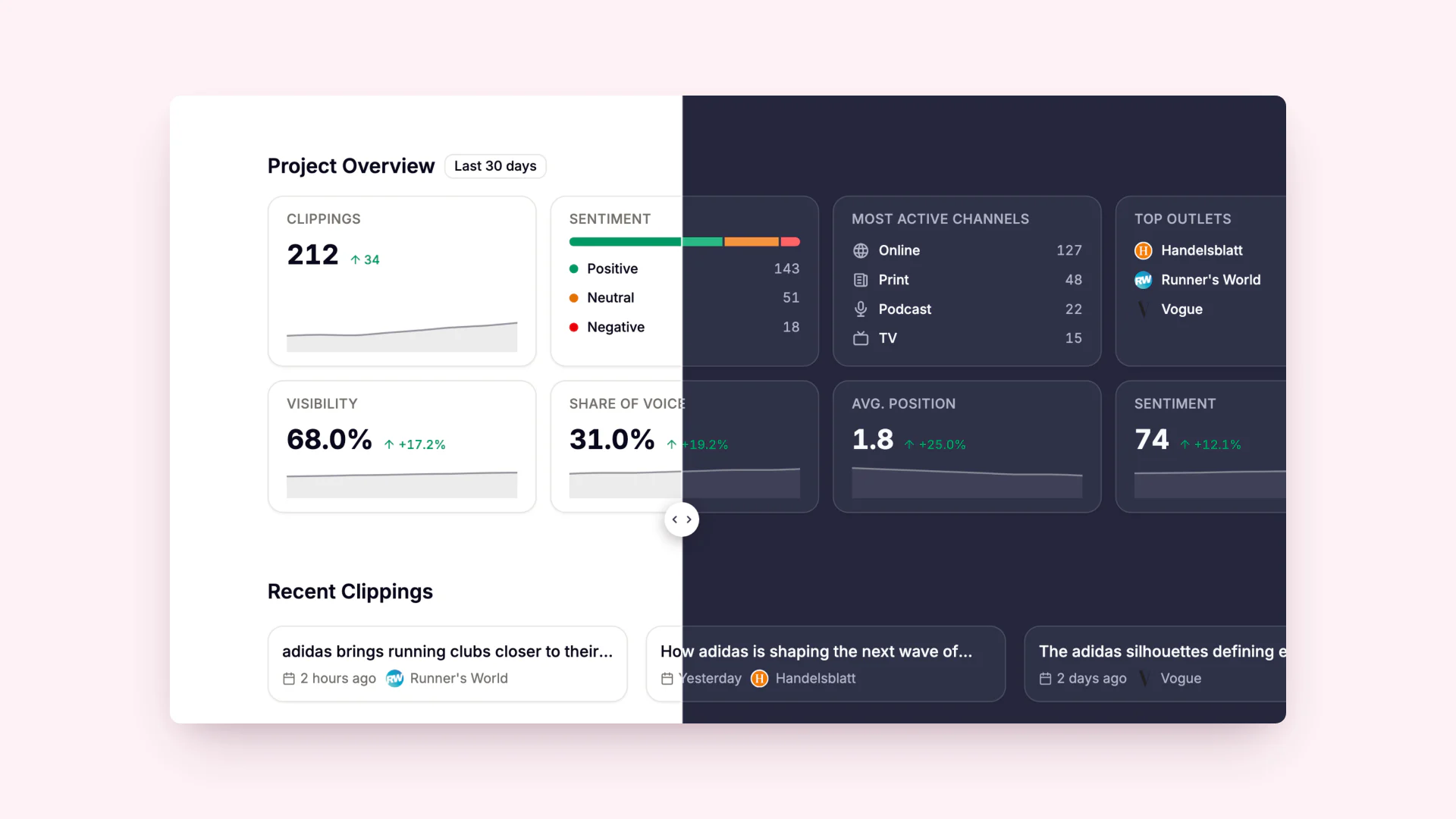
We’ve redesigned the project dashboard from the ground up to make it easier to work with your clippings, analytics, and reports. The new layout gives you a clear overview of what’s happening in your project and helps you move seamlessly from insight to action. Instead of showing static data blocks, the dashboard now highlights the information and tasks that matter most to your daily work. What’s new? 1. Clear Project Overview Key metrics like total clippings, review progress, most active channels, and top contributors are now visually structured, giving you quick insights at a glance. 2. Latest Clippings Front and Center Recently added clippings appear directly on the dashboard, allowing you to jump into review and editing workflows without searching or navigating through multiple pages. 3. Recently Edited Reports Access your latest reports instantly and continue editing with a single click. 4. Workflow-first Design The entire dashboard is organized around the actions users perform most frequently: This creates a smoother, more intuitive user experience for daily work. Benefits The new Project Dashboard brings your daily workflows together in one focused, easy-to-use interface.

A guided setup that helps you create clear, consistent, and AI-ready metrics & tags in minutes.

Metric & Tag Wizard

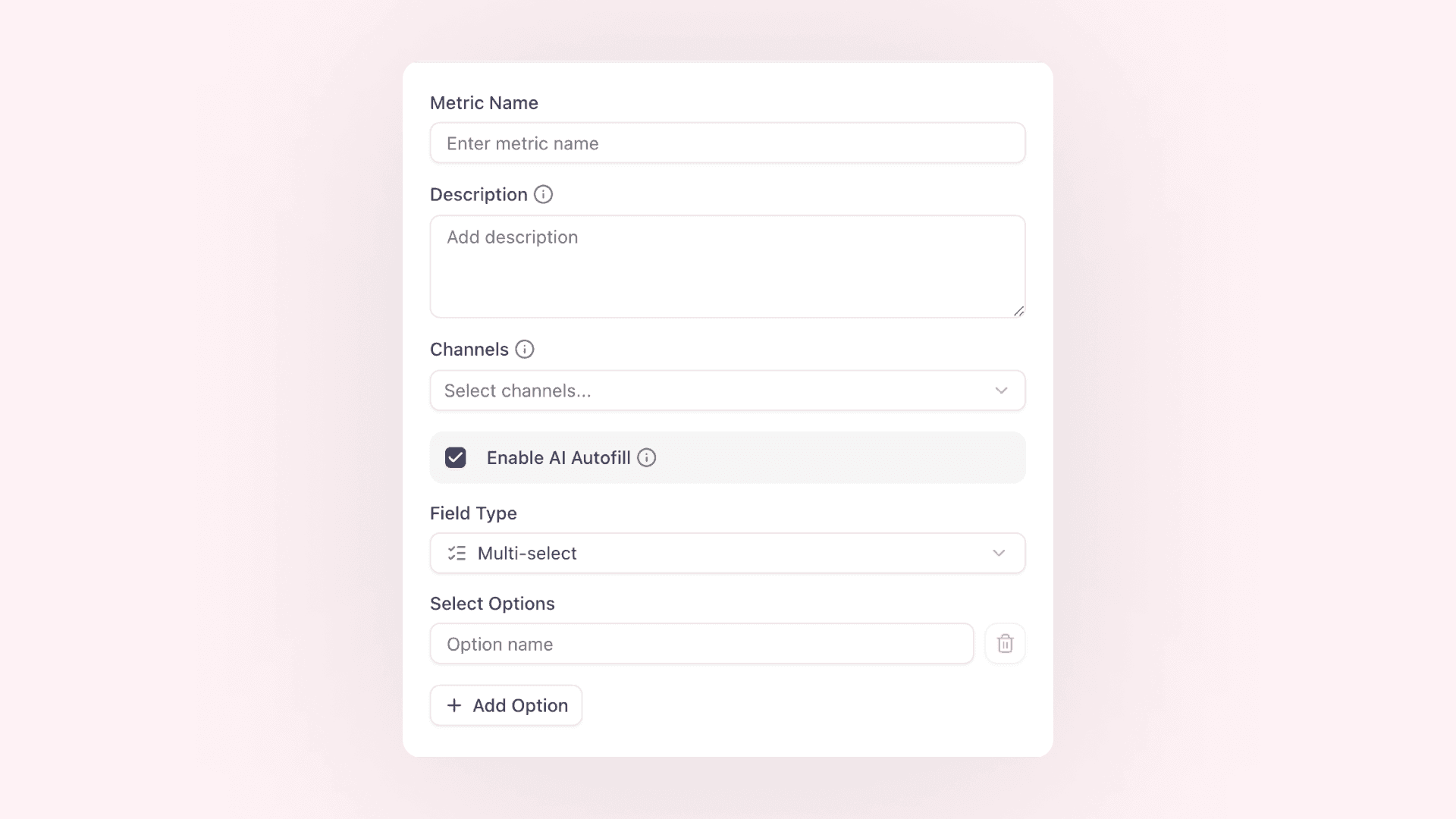
Creating a clean data structure is essential for meaningful reporting — but defining metrics and tags from scratch can be challenging. The new Metric & Tag Wizard guides you step-by-step through the process of setting up your own taxonomy, making it faster and easier to build a structure that works for your team. The wizard helps you define your categories, add clear descriptions, and ensure that your setup is fully compatible with AI-powered features such as automated prefill. How It Works Benefits The Metric & Tag Wizard gives you everything you need to build a clean, reliable classification system — without guesswork. AI Suggestions for Your Custom Setup Metric Suggestions (based on your description) Tag Suggestions (based on your description)

AI suggests values based on your own metric and tag descriptions

Auto AI Prefill of Custom Metrics & Tags

Every organization structures PR, marketing, and communication work differently — which is why metrics and tags in aclipp are fully customizable. With our new Auto AI Prefill, aclipp now analyzes your clippings and intelligently suggests values based on the descriptions you define for your own metrics and tags. This means: The AI doesn’t work with generic categories. Instead, it learns from your structure, your terminology, and your definitions. How It Works Benefits Metric & Tag Setup Screenshots Custom Metric with Description Custom Tag with Description

Upload multiple files at once to create clippings in bulk

Batch File Imports

With Batch File Imports, you can now upload several documents at once and instantly convert them into clippings. Whether you’re working with PDFs, images, or mixed file formats, aclipp processes all items automatically and prepares them for reporting and analytics. How It Works Benefits Batch File Imports significantly reduces manual work and ensures that all imported documents follow the same quality and structure within aclipp.

Batch URL Import

Batch URL Import

Adding clippings one by one is now a thing of the past. With Batch URL Import, you can insert multiple URLs at once and let aclipp process them automatically. This drastically speeds up your workflow when collecting articles, mentions, or other online content. How It Works Benefits Batch URL Import helps teams collect all relevant articles quickly and ensures every clipping is created with the same quality and structure.

Every clipping now includes an automatically generated screenshot — no manual steps required.

Automated Screenshot Capture

With our new Automated Screenshot Capture, every clipping in aclipp now receives a high-quality screenshot without any user interaction. This ensures consistent documentation, easier content validation, and cleaner reporting. How It Works Benefits

Automatically import new articles and mentions from your preferred sources without manual work.

RSS Feed Integration

RSS Feed Integration Our new RSS Feed Integration helps you save valuable time by automatically importing new articles, mentions, and other content types directly into aclipp. Instead of manually adding links, aclipp now processes RSS feeds for you. Fully automated. Key Features A simple way to ensure that all online mentions flow into your workspace without manual importing.

aclipp 2.0

aclipp 2.0

We’re excited to launch aclipp 2.0 — a completely rebuilt version that’s faster, clearer, and more flexible. Highlights: 🚀 Try it now Give the new version a spin at — and tell us what you think!

The aclipp chrome extension

aclipp Chrome Extension 2.0

The aclipp Chrome extension 2.0 is live! We rebuilt it from scratch and added a bunch of improvements: We also fundamentally overhauled the Chrome extension to make ready for the future, with more to come soon. and let us know what you think of it!

Exported Chart Images Now Show the Full Legend

We’ve improved the chart image export feature! From now on, every exported chart image will include the full legend, ensuring that all important information remains visible and your charts are more informative. Features & Benefits: This enhancement makes using charts in reports and presentations even more effective. Try it now! 📊

Enhanced Analytics: Cumulative Sum in LineChartCard

With the new cumulative sum feature in the LineChartCard, you can now visualize cumulative values directly in your charts. This provides deeper insights and helps you better understand trends over time. Features & Benefits: This enhancement makes it easier to interpret key metrics. Try it out now! 🚀

Country Field for Every Clipping

With the new "Country Field for Every Clipping" feature, you can analyze your PR coverage more effectively by region. Each clipping now includes a country designation, allowing you to measure the geographic impact of your media coverage more accurately. Features & Benefits: This feature is now live in aclipp! 🎉

Update of the aclipp Chrome Extension

The aclipp Chrome Extension has been significantly improved and is now available with powerful new features! With the new Reader Mode and Fullsize Screenshot functionality, capturing and managing clippings has never been easier. Additionally, this update ensures full compliance with Google's latest requirements for browser extensions. New Features & Improvements: Available now in the Chrome Web Store – Upgrade to the latest version! 🚀

Relaunch of the aclipp Website

We are excited to announce the relaunch of our website! Since September 13, 2024, has been showcasing a fresh design with numerous improvements to enhance your user experience. What's new? Why the relaunch? Our goal is to provide you with the best possible platform to learn about our products and services. With the relaunch, we've not only updated the design but also improved the website's performance to offer you a fast and seamless browsing experience. Check it out! Visit the new website at and explore the enhancements for yourself. We look forward to your feedback and are available to answer any questions you may have.

Optimized Sign-Up

🚀 A smoother sign-up experience is coming to aclipp! We’re improving the registration process so new users can get started faster and more easily. With an interactive sign-up flow, you’ll be able to enter key company details right from the start, ensuring your account is set up perfectly. ✨ What does this new feature bring? This update will help you get the most out of aclipp right from the start, with no complicated setup needed. Stay tuned! 🎉

New Sorting in the PR Report Generator

We have once again implemented the feedback from our customers! As a result, numerous new options for sorting clippings in the PR report have been created. Now, there is also the option to sort by media value. Previously, the options were Publisher, Tag, Publishing Date, and Upload Date. Additionally, there is the chance to use any of the existing sorting options in ascending and descending order. This makes the PR reports even more individualized and the PR analyses significantly better.

Date Picker in the Dashboard

The aclipp Dashboard now also features a date picker. With this function, any desired time period can now be analyzed by users using the dashboard. This makes analyses even simpler, faster, and above all, more individualized.

Fullsize-Screenshot Cutter

Until now, there were always error messages when opening PowerPoint reports due to too long screenshots - especially for full-size screenshots of websites. This is because PowerPoint can't handle the image format beyond a certain length. The screenshot had to be manually split into several images to generate the PowerPoint report without issues. ‍ <strong>We have now come up with a super cool solution for this:</strong> From now on, too long screenshots will be automatically recognized during the upload of the clipping and divided into multiple fitting images by the tool. So you no longer have to manually crop the screenshots, and the PowerPoint error message is now a thing of the past!

Highlight Filter in the Clipping Table

Many of our users have requested this feature: Filtering by highlights in the Clipping Table. Of course, we have implemented this function for you. Now you can easily display all highlight clippings in the table in aclipp, giving you all important mentions at a glance. Additionally, the highlight marking is now displayed directly in the table. This makes it even easier to identify the desired clippings.

New Filters for the Report Generator

We have once again fulfilled one of our customer requests and added a new filter option in our report generator! You can now easily filter by the creator. You can select one or multiple creators. Only the clippings uploaded by this person in aclipp will be included in the report. This way, for example, you can create reports with your own clippings. Additionally, this function can be helpful when multiple PR agencies are connected to your account, and you want to create not just a combined report but also one for each agency. You just need to select all the users of the agency.

New Configuration for the Brand Dashboard

We have completely adjusted the standard configuration for our Brand Dashboards, allowing you to access even more evaluations now. ‍ For example, a cross-channel evaluation of reach or media value is now available to you. This makes it possible to better showcase the great impact you have achieved through your PR efforts. ‍

Clipping Importer

In aclipp, there are various ways to add clippings. You can do this manually through the app, use the Chrome extension, connect your media monitor with aclipp, or use our importer. With the importer, you have the ability to import unlimited clippings into aclipp with just a few clicks at once. ‍ To do this, you just need to prepare an Excel/CSV/Numbers/Google Sheets file with all the data you want to import. If you also want to import proof images, you should prepare a folder with all the image files. The table must also include, for each clipping, which image belongs to it. The entire filename must be noted. ‍ ‍ Then, you will be guided step by step through the import in the importer. How this works exactly is explained, as always, in our Help Center:

Change Order of Receipt Images

Previously, to change the order, the images of a clipping had to be deleted and re-uploaded. From now on, the order can be changed with just one click. ‍

Database Update

Our database has been comprehensively updated and now includes more than 5,000 newspapers, journals, and magazines from all over Germany, Austria, and Switzerland. ‍

Connected User available

Have you created a separate aclipp account for each of your clients so that your clients can also access the software? Or is one of your clients managed by multiple agencies? There is now an easy solution for that: With the Connected User, you have access to all these accounts. This allows you to easily and quickly switch between the different accounts using a drop-down menu to manage the clippings of all your clients. ‍ We would be happy to advise you on our new feature and set everything up for you so that you can get started immediately 🚀

aclipp Chrome Extension

With the new aclipp Chrome Extension, online and social media clippings can now be saved even more easily and quickly: The aclipp clipping workflow is therefore significantly accelerated, allowing our users to spend more time on truly value-adding PR work!

Click through your clippings

In the clipping view, you now have the option to click to the next clipping using the buttons in the top right. Here you can also instantly switch the status between "Draft" and "Finished" (only finished clippings will be used in the report). Additionally, you can now delete a clipping in the detailed view if it is not relevant. ‍ ‍ ‍ ‍

Feedback when you upload a clipping

Have you ever wondered if everything worked out when uploading a clipping? Now this question is immediately answered by aclipp, clearing up any uncertainties. We have integrated an upload bar that appears as soon as you add new clippings. Have fun uploading! ‍

An X Instead of "true" and "false" in Export

In our popular CSV export, we received feedback from some customers that the true and false values for switch metrics (like Highlight Yes/No) can be somewhat misleading. For all clippings where the switch was not activated, false was displayed. Therefore, we followed the feedback from our users and will use an X for the activation of the switch in the future, leaving the cell empty otherwise. This way, the customer can quickly see which clippings are affected. ‍ ‍

Import Function

Upload Your Company Logo

From now on, you can upload your logo as an admin in the company settings and display it later when generating reports. We recommend .png and .svg logos. ‍ Image href=https://uploads-ssl.webflow.com/5e5fc0610907658d5311247b/5eb564c851528b648ec0a4c6_logo.jpg caption=You can find the setting under Settings/Company or Einstellungen/Agentur

CSV Export

Everyone wanted it – now it’s possible. Export a selection or all your clippings as a CSV file. Now you have all your data in your hands.‍ From now on, there are two ways to export as .csv: ‍ Image href=https://uploads-ssl.webflow.com/5e5fc0610907658d5311247b/5fc8b7099e3ae41b2c6876ad_Screenshot%202020-12-03%20at%2010.47.10.png caption=Here you can find the new feature

Improved User Management

When adding new users to your aclipp account, the software checks if the user already exists in another account, so that no errors can occur. Additionally, you can delete unnecessary users from the account at any time yourself. If this has happened accidentally or a deleted user needs to be reactivated, you can also do that with just one click. Furthermore, it is now possible to copy the registration link of a new user and send it via any medium. ‍ ‍ From now on, aclipp users can manage the various individuals in their own account even more easily!

Editing Clippings Made Even Easier with the Chrome Extension

With the new update of the Chrome Extension, you can now upload images directly in the Chrome Extension and then pull data from the corresponding website. Additionally, all clippings in draft status can be completed even faster and more easily with the missing data.<br>As if that weren't enough, you also have the option to specify which clients of your agency you are managing. This way, you only see the clippings that are relevant to your work. ‍

Connection of Additional Media Monitors

Update of the aclipp Print Database

Our print database has been extensively updated and now includes the most current data from more than 20,000 newspapers, magazines, and journals from the entire DACH region. ‍ ‍ ‍

Now even easier to create new customers in aclipp

From now on, you can add new customers to aclipp even more easily and quickly. All you need to do is enter your customer's name, and with one click, the customer is already created. Afterwards, you can add new clippings for them and create reports. ‍ You can always create as many customers as are included in your current package. New customers are automatically assigned your current conditions. All details about current packages and prices can be found <a href="https://www.aclipp.com/pricing">here</a>. ‍

Interface to Landau Media

Thanks to the direct integration with the German market leader in media monitoring, Landau Media, all your clippings flow directly into aclipp. This means you no longer have to upload them manually. Additionally, the clippings are automatically enriched with the relevant KPIs by aclipp. ‍ This allows you to save even more time and create PR reports much more easily and efficiently! ‍ Do you also want to connect Landau Media with your aclipp account? Then feel free to get in touch with us, and we will set everything up for you so you can get started right away 🚀 ‍

Better Performance through Stronger Compression

To significantly enhance the performance of the entire software, especially the report generator, we are now employing a new compression method. This can reduce the size of images in aclipp by up to 95%. As a result, reports can be generated and downloaded much faster. Additionally, the clipping reports also take up less storage space than before.

Create Dashboards for All Your Clients

In addition to relevant PR reports in the form of PowerPoint presentations or Excel spreadsheets, you can now also offer your clients a meaningful performance dashboard. We can create this for you in aclipp. Subsequently, just like your agency dashboard, it will automatically be fed with data from the uploaded clippings. ‍ You can send this dashboard to your clients using a shareable link. This way, you can impress your clients with your performance at a glance. Furthermore, it creates even more transparency in communication between you and the client, and you can provide exclusive insights. Of course, the client accessing this link will only see their own dashboard and will not have access to any other data in aclipp. Clients do not need a separate user account, just a browser and the appropriate link. ‍

New Report Sorting

Previously, all clippings in the report were sorted by date. After discussions with our clients, there was a recurring need to also sort all clippings alphabetically. This way, the client can immediately see if they were mentioned more frequently in a magazine, influencer, or domain. ‍ Simply choose your desired sorting in the last step of the report generator.

Instagram Posts as Clipping

From now on, you can easily create a clipping from an Instagram post. Just add the URL of the post in aclipp and we'll take care of the rest! The image of the post will automatically be loaded into aclipp along with the corresponding KPIs. ‍ ‍